How to create your SmashR account
Set up SmashR in about two minutes. There is no password to remember — you sign in with a code sent to your email.
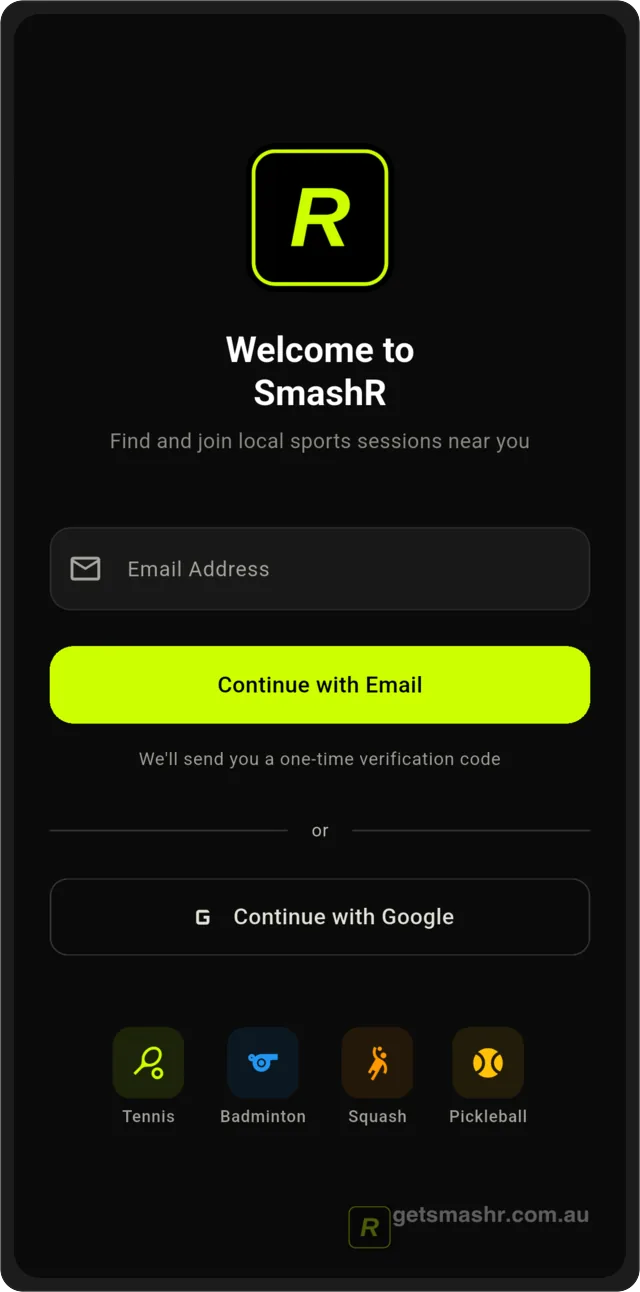
Open SmashR and enter your email
Type the email address you want to use for bookings and receipts, then tap Continue with Email. You can also tap Continue with Google to skip the code step.
help_signup_02_otpEnter the 6-digit code
We email you a one-time verification code. Enter it to confirm the address is yours. Codes expire after a few minutes — tap Resend code if it lapses.
help_signup_03_interestsPick your sports and skill level
Choose the racket sports you play and roughly where you sit — beginner through advanced. This is what filters your session feed, and you can change it any time in Profile.
help_signup_04_homeYou're in
Your home screen shows sessions near you. Nothing is charged until you book a specific session.
Ready to play?
SmashR is coming soon to iOS and Android. Join the waitlist to get early access when we launch in your city.
Join the Waitlist